

How to Choose Prebid Adapters That Actually Move Revenue
Your Prebid adapter selection problem isn’t finding more demand. It’s proving which demand adds net revenue after latency, overlap, QA, and maintenance are counted. Pick adapters by marginal lift within each traffic slice, then keep only the ones that win enough clean auctions to justify the timeout cost and operational drag.
Key takeaways
- More adapters is usually a bad default if the added path creates latency and duplicate demand.
- Score candidates on incremental demand, timeout cost, overlap risk, implementation effort, and maintenance drag.
- Judge adapter quality by traffic slice, not blended dashboards or CPM alone.
- Remove adapters that no longer justify their auction cost on the inventory where they run.
- Test new adapters in a controlled slice so you do not contaminate your baseline.
Why more adapters is usually the wrong default
Adapter count is a poor success metric because every extra Prebid.js path can add auction work without producing incremental winning bids. Ask a harder question: does the next adapter improve revenue per thousand sessions or pageviews after timeout behavior, duplicated buyers, and troubleshooting overhead are factored in?
Access is not the same as usable demand
A new adapter can open another route to buyers, but that doesn’t mean those buyers are new to your auction. If the same agency budget is already reachable through another SSP, AdX, Amazon Publisher Services, or a managed wrapper relationship, the added path may mostly create duplicate bids and messier reporting.
That distinction matters on mid-to-large sites because waste on one property can be hidden by performance on another. A sports vertical may get useful demand from a specialized bidder while your general news property gets bids that never clear floors. Blend it into one wrapper-wide number and the adapter looks healthier than it really is.
Adapter bloat shows up in places finance does not see
The obvious symptom is a longer auction. The quieter ones are harder to catch: more timeout variance, more bid landscape overlap, more line items to inspect in Google Ad Manager, more vendor discrepancies, and more false trails when revenue drops after a release.
Core Web Vitals make the tradeoff tighter. If ad density, refresh rules, and lazy loading are already being reviewed, another client-side demand path can compete with the same performance budget your product team is trying to protect. A small gross CPM gain may be the wrong trade if it slows auctions on high-session-depth traffic.
Use marginal lift as the decision unit. An adapter deserves space in the wrapper only if it adds measurable value on the inventory where it runs. Certification, popularity, or inclusion in a generic bidder list isn’t enough. Certification helps with eligibility; it doesn’t prove fit.
A practical way to score adapters before you add them
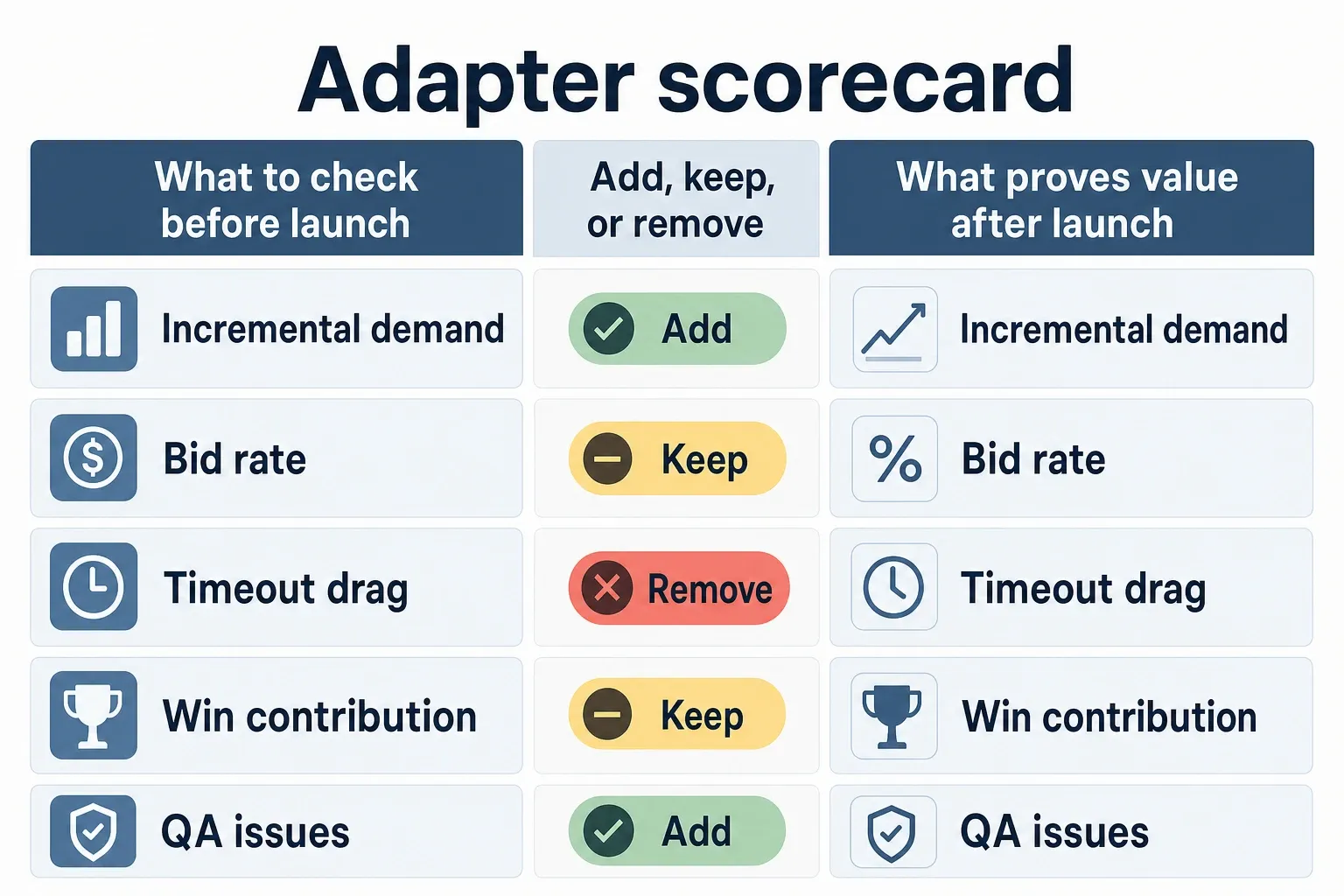
A useful pre-launch scorecard keeps vendor claims separate from evidence you can validate after launch. Score every current and candidate adapter against five criteria: incremental demand, latency cost, overlap risk, implementation effort, and maintenance risk. Use the same sheet across properties so one loud win doesn’t steer a network-wide decision.
| Revenue-first criterion | What to check before launch | What proves value after launch | Add, keep, or remove signal |
|---|---|---|---|
| Incremental demand | Confirm whether the adapter reaches buyers you cannot already access. APS says its Prebid Adapter connects publishers to Amazon Ads demand and 60+ third-party demand sources through TAM and UAM via Amazon Publisher Services. | Look for net new wins by placement, device, geo, and format. Do not count high bid rate alone as value. | Add if it wins clean auctions on meaningful inventory; remove if spend is mostly redundant with stronger paths. |
| Latency cost | Ask how the adapter behaves under your existing timeout, not under a vendor demo timeout. Prebid.js supports multiple components and analytics hooks documented by Prebid.org. | Track timeout rate, response time distribution, and effect on total auction completion before the ad server call. | Keep if revenue gain survives the timeout budget; cap or remove if bids arrive too late to compete. |
| Overlap risk | Map buyer access against AdX, SSPs, APS, TAM, UAM, and existing managed demand. Publisher Collective positions its adapter as one integration into curated server-to-server SSP demand via Publisher Collective. | Compare win patterns against existing bidders on the same ad units and floors. | Add on inventory where it creates unique winners; avoid if it mostly shadows another stronger route. |
| Implementation effort | Check whether the adapter needs new params, user sync changes, floors mapping, consent handling, or ad unit exceptions. Setupad describes the basic install-and-configure requirement through Prebid guidelines via Setupad. | Measure QA time, release complexity, trafficking changes, and support tickets after deployment. | Add first where setup is clean; delay if the integration requires special handling across many properties. |
| Maintenance risk | Check whether the adapter is actively supported, compatible with your Prebid.js version, and documented in current adapter lists. adWMG points publishers toward certified third-party adapter options via adWMG. | Watch for broken params after wrapper upgrades, missing bids after consent changes, and vendor response quality. | Keep if support is predictable; remove if small revenue depends on frequent manual fixes. |
This scoring model is strict on purpose. A candidate with strong demand and high maintenance risk may still deserve a test on premium inventory, but it shouldn’t quietly roll out across every property. The score sets the test scope before anyone starts arguing from total revenue.
How to evaluate bidder performance with analytics
Adapter quality only shows up when you read auction-level performance by traffic slice, not from a blended bidder dashboard. Start with bid rate, timeout rate, win rate, CPM contribution, and revenue per thousand sessions or pageviews. Then segment before deciding whether the adapter is actually strong or just noisy.
Use metrics that survive floor and traffic changes
Bid rate tells you whether the adapter is showing up. Timeout rate tells you whether it shows up in time. Win rate tells you whether it can clear the auction. CPM contribution tells you price. Revenue per thousand sessions or pageviews tells you whether the site earns more from the traffic you sold.
Don’t use CPM alone as the promotion metric. A bidder can show attractive CPMs on a small set of impressions and still add very little to total revenue. The reverse can happen on long-tail placements, where steady mid-price wins produce more usable dollars than occasional premium bids.
Segment before you judge the adapter
Break the readout by placement, device, geography, and format. A top-of-article desktop display unit in the United States has a different auction shape than mobile web refresh inventory. If the adapter wins only on one high-value ad unit, keep the decision there instead of expanding it across the wrapper.
Separate adapter performance from bidder performance inside the adapter path. One weak bidder relationship can pull down the whole route, especially when the vendor bundles several demand sources behind one module. If the partner can tune demand internally, ask for that before you remove the integration.
Reconcile Prebid, GAM, and SSP views
Use Prebid.js analytics or your wrapper analytics for auction events, then reconcile the results against Google Ad Manager delivery and SSP-side reporting. GAM is useful for ad server outcomes, but it won’t explain every pre-auction timeout or bid-filtering issue. SSP dashboards can explain demand behavior, but they often can’t prove the adapter improved your total stack.
AdX makes the read more complicated because it remains a major competing path in GAM. If an adapter increases header bidding pressure but mostly shifts wins away from AdX without lifting total revenue, the blended report may look active while the publisher outcome stays flat. That’s why the KPI should be net revenue on a controlled traffic slice, not bidder activity.
When to remove low-performing adapters
Remove an adapter when its incremental contribution no longer covers its timeout drag, overlap, and maintenance load. Treat the retirement like a controlled release, not a cleanup sprint. A small adapter can still matter on niche inventory even when its network-wide spend share looks easy to ignore.
- Set removal triggers before touching code. Use persistent timeout drag, recurring QA issues, redundant demand, weak win contribution, or vendor support failures as triggers. Avoid using raw spend share by itself because niche placements can be profitable with low total volume.
- Document the baseline on the exact traffic slice. Capture revenue per thousand sessions or pageviews, timeout rate, win rate, and ad server delivery for the relevant properties, devices, geos, and formats.
- Remove one adapter at a time where possible. If two low performers come out together, you will not know which one caused the revenue movement, and rollback becomes guesswork.
- Keep the comparison window clean. Do not judge a removal during a holiday spike, a major floor change, a site redesign, or a GAM trafficking migration unless you can isolate the effect.
- Compare against the same inventory, then decide. If revenue holds and latency improves, keep the adapter out. If a specific segment drops, restore the adapter only on that slice instead of reversing the whole cleanup.
How to test new adapters without polluting your baseline
A clean adapter test uses a stable A/B split, fixed timeout settings, unchanged floors, and one clear candidate at a time. If you change bidders, floors, refresh, and demand priority in the same window, you don’t have an adapter test. You have a revenue event.
- Pick the test inventory. Start with a property, format, and device mix large enough to read but narrow enough to protect the rest of the stack. For example, test mobile display on two U.S. content properties instead of the entire account.
- Freeze the auction rules. Keep Prebid timeout, price granularity, floors, refresh logic, and GAM trafficking stable during the window unless the test design explicitly includes those variables.
- Split traffic consistently. Use the same percentage split for the full test, and avoid moving high-value campaigns or direct-sold priorities between cells while the adapter is under review.
- Define success before launch. Require net revenue lift, acceptable timeout behavior, no material Core Web Vitals regression, and no unexplained drop in AdX or direct delivery.
- Promote only the winning scope. If the adapter wins on desktop video but fails on mobile display, move desktop video to production and leave mobile display out.
A practical decision path looks like this: a new adapter enters a 10% traffic cell on U.S. desktop display with the existing timeout unchanged. After the test, it shows meaningful wins on two premium ad units, but timeout pressure rises on infinite-scroll pages. The right move isn’t a full rollout. Deploy it on the premium units, and exclude the infinite-scroll placement until the vendor or wrapper settings can handle that pattern.
Keep the baseline clean by resisting bundled launches. If you add APS, change floors, update refresh rules, and introduce a new identity module in the same release, every stakeholder will try to claim the outcome. Your test design should make the adapter answer for its own result.
How to maintain adapter versions over time
Adapter governance prevents quiet revenue loss by tracking Prebid.js versions, adapter changes, consent dependencies, and release timing across every property. Stable revenue doesn’t prove the setup is healthy. Stale code can hide broken demand paths until a wrapper upgrade or browser change exposes them.
Treat adapter state as production infrastructure
Maintain a simple inventory that lists each adapter, the properties where it runs, version or module state, owner, vendor contact, required params, consent requirements, and last test date. It’s boring work. It also keeps multi-property teams from discovering too late that one brand runs a different auction path than the rest of the network.
Prebid.org’s bidder adapter documentation is the right starting point for adapter development and integration expectations, but your internal record needs the business layer: where the adapter is allowed to run, what it is expected to contribute, and what would trigger removal through Prebid.org bidder adapter docs.
Review after events that change the auction
Run adapter health checks after Prebid.js upgrades, consent management changes, major vendor announcements, new GAM key-value mappings, floor-rule updates, and ad layout changes. Any of those can shift the auction enough that last quarter’s adapter score is no longer safe to use.
For multi-property publishers, use a release calendar instead of ad hoc fixes. Group low-risk adapter updates into scheduled wrapper releases, save emergency releases for broken demand paths, and attach rollback instructions to every change. The operational win is simple: fewer mystery drops and faster diagnosis without the blame loop.
Use a cadence your team can actually keep
Monthly checks should catch obvious breakage: zero bids, rising timeouts, missing params, and GAM delivery anomalies. Quarterly reviews should re-score each adapter using the five criteria from the table. Semiannual cleanup should remove legacy paths that are still live only because nobody wanted to own the decision.
Your next steps should be mechanical, not theoretical. Adapter selection gets better when the process forces every demand path to prove its place in the stack.
- Export your current adapter list by property, format, and device.
- Score each adapter against incremental demand, latency cost, overlap risk, implementation effort, and maintenance risk.
- Pick one candidate to test or one weak adapter to retire in a controlled traffic slice.
- Freeze floors, timeouts, and GAM changes during the test window.
- Promote, restrict, or remove the adapter based on net contribution, not vendor promise or wrapper count.
Frequently asked questions
How many Prebid adapters should a publisher run?
Only enough to produce clear marginal lift after you account for latency, overlap, QA, and ongoing maintenance. On a mid-to-large site, the right number changes by traffic slice, because an adapter that helps one property can be dead weight on another. Count incremental revenue per thousand sessions, not adapter count.
What is the biggest mistake in Prebid adapter selection?
Keeping an adapter because it’s already in the wrapper, even after it stops adding measurable incremental demand. Legacy integrations often linger because they’re familiar, not because they still win auctions. That’s how you end up carrying timeout cost and reporting noise for a partner that no longer moves revenue.
Should you test new adapters one at a time?
Yes, if you want a clean read on what actually changed. Bundling adapter launches with timeout tweaks, traffic shifts, or consent changes makes the result ambiguous, and you won’t know whether the lift came from the adapter or from something else. One change at a time is slower, but it’s the only way to make the test useful.
When should an adapter be removed?
Remove it when it consistently adds latency, duplicates demand you already reach elsewhere, or fails to show measurable incremental revenue over a reasonable sample. If it only looks good in a blended dashboard but not in a specific traffic slice, that’s usually a sign it’s not pulling its weight. The longer you keep it, the more maintenance drag you inherit.
How often should adapter versions be reviewed?
Review them on a fixed cadence and any time you change Prebid.js, consent handling, or the demand path. Version drift is usually subtle, so waiting for a visible revenue drop is too late. A scheduled review keeps you from finding out about a stale integration only after it starts affecting auction performance.
How we researched this
Sources consulted for this article:
- Prebid Adapter | Programmatic Header Bidding | Publisher Collective
- What is Prebid Adapter? - Setupad.com
- The Best Prebid.js Header Bidding Adapters - adWMG
- Amazon Publisher Services launches Prebid Adapter in open beta - Amazon Publisher Services
- Video Intro to Prebid.js Components for Header Bidding
- How to Add a New Prebid.js Bidder Adapter for Header Bidding