

How to Analyze Unfilled Impressions and Recover Lost Revenue
If Google Ad Manager shows unfilled impressions, don’t start with a broad fill-rate debate. Find the leaking slice, identify whether the blocker is price, eligibility, demand response, or page timing, then put the fix into a ranked work queue. Unfilled impressions analysis is only useful if it produces a ticket someone can close.
Key takeaways
- Treat unfilled impressions as a segment problem first, not a sitewide verdict.
- Use GAM dimensions to separate broad delivery issues from one-slot leaks.
- Floor pressure, targeting gaps, and latency leave different traces; don’t apply the same fix.
- Rank fixes by revenue exposure, confidence, and effort so engineering time goes where it pays.
- Alerts should catch fill-rate drops early, but the real win is a clear fix queue after diagnosis.
Where unfilled impressions show up in Google Ad Manager
Google Ad Manager is most useful for unfilled inventory when the report is built from the fields that can change delivery: ad unit, requested ad size, device category, country, line item type, yield group, and time. A raw unfilled total says the ad server missed opportunities. Those dimensions show which opportunities were actually missed.
Start in GAM reporting with inventory dimensions and compatible metrics. Pull ad unit, requested ad sizes, device category, country, line item type, yield group, and time unit from the same report context. Google lists report dimensions and metrics in its Google Ad Manager reporting reference, which matters because mixing served impressions from one report type with ad requests from another can create a false fill-rate story.
Read the report as a map, not a scoreboard
Sitewide fill rate can hide the placement that is actually leaking. A 970x250 homepage unit, a sticky mobile anchor, and a below-article 300x250 have different buyer depth, viewability, refresh rules, and layout timing. If you average them together, the strongest placements subsidize the weakest ones in the report.
Your first read should decide whether the miss is systemic or local. If unfilled impressions rise across most inventory in the same hour, check demand connections, ad tag deployment, consent state, and delivery configuration. If the increase is isolated to one unit, one size, or one template, look for a floor, targeting, size mapping, or layout change.
Separate GAM delivery from demand-source failure
A demand source can fail without GAM itself failing. If AdX contribution drops while Open Bidding or Prebid.js demand still returns bids, that is not the same incident as a slot receiving no eligible ads. Separate line item type and demand channel before you decide whether the problem belongs to yield, trafficking, or engineering.
Use Google Publisher Console on the live page after reporting points to a specific slot. It shows the ad unit, requested sizes, key-values, request timing, and delivery details during inspection; Google documents the tool in Google Publisher Console help. That is where a dashboard clue becomes a concrete finding: missing size mapping, wrong key-value, blocked delivery, or a normal request that returned no fill.
Diagnosing whether the cause is floor, targeting, or latency
The three common failure modes leave different traces. Price-floor pressure looks like eligible demand that will not clear. Targeting mismatch looks like a thin or empty eligible set. Latency looks like the auction happened, but bids or ad calls arrived too late. Lowering floors helps only the first case.
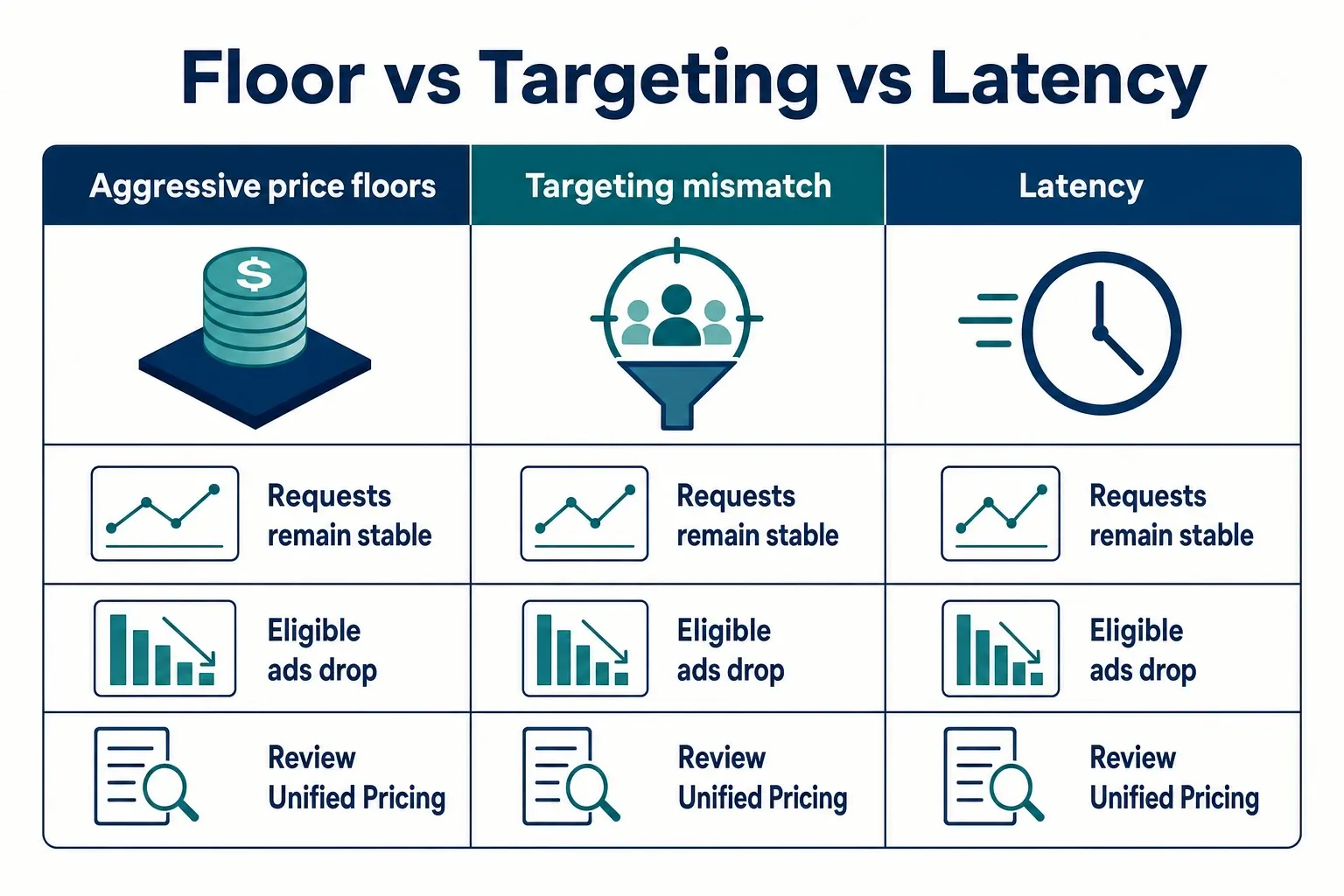
| Failure mode | What the pattern looks like | Where to check | Mistake to avoid | Better first move |
|---|---|---|---|---|
| Aggressive price floors | Unfilled rises on high-floor ad units or geos while requests remain stable; lower-value sizes lose fill first. | Review Unified Pricing Rules, AdX auction behavior, and floor changes by inventory segment. Google covers floor setup in Unified Pricing Rules. | Dropping all floors sitewide and giving back CPM on inventory that was clearing fine. | Test a smaller floor change on the affected ad unit, size, and geography; compare revenue per thousand ad requests, not only fill rate. |
| Targeting mismatch | A slot requests normally but has few or no eligible line items because size, key-values, device, geo, or deal targeting excludes demand. | Inspect GAM line item targeting, key-value population, size mapping, and deal eligibility, especially for DV360 preferred deals or private auctions. | Blaming demand partners when the slot is not eligible for the campaigns you expect to compete. | Fix the targeting or trafficking condition first, then retest with the same page path and key-values. |
| Header bidding timeout or latency | Prebid.js bids are missing or arriving after the ad server call; unfilled may spike on slower pages, mobile web, or heavy templates. | Check wrapper timing, bidder response logs, timeout settings, and page performance. Prebid documents auction timeout configuration in Prebid.js configuration. | Lowering floors because the winning bid never reached GAM in time. | Tune timeout, reduce slow bidders, review lazy loading, and verify the ad server call waits for the intended auction path. |
| Demand-source weakness | One channel drops while the slot still receives requests and other channels continue to serve. | Compare AdX, Open Bidding, Prebid.js, direct, sponsorship, and house delivery by line item type or yield group. | Treating a single partner issue as a placement-level fill problem. | Re-route pressure to competing demand, check partner status, and confirm whether the issue is buyer-side, deal-side, or integration-side. |
The key difference is economic. With a floor problem, buyers had a chance to bid but the clearing price was set too high for that context. With targeting or latency, the opportunity was restricted or late before price could matter. Fixing the wrong layer can improve fill rate while leaving revenue per request worse.
Segmenting unfilled impressions by ad unit and demand source
Once you know the leak is not sitewide, compare the affected inventory against each auction path. For example, if the mobile article bottom 300x250 is underfilled only when Prebid.js demand is absent, the next step is wrapper logs and key-values, not a global GAM floor edit.
| Segment cut | Question it answers | Signal to look for | Action if the signal is real |
|---|---|---|---|
| Ad unit | Is the leak tied to a placement or template? | One unit underfills while sibling units on the same page keep serving. | Inspect that slot’s ad tag, key-values, lazy-load trigger, size mapping, and GAM targeting. |
| Creative size | Is the demand pool too thin for a size? | 970x250, 300x600, or out-of-page formats underfill while standard 300x250 or 728x90 inventory clears. | Add compatible sizes where layout allows, review multi-size mapping, and check whether demand partners bid on that size. |
| Device category | Is mobile web behaving differently from desktop? | Mobile unfilled rises with no matching desktop issue, especially on long pages or heavy article templates. | Review viewport triggers, sticky behavior, Core Web Vitals pressure, and Prebid.js timing before changing floors. |
| Geography | Is the issue concentrated in a buyer market? | U.S. inventory clears while lower-demand countries underfill, or one U.S. region behaves differently due to targeting. | Separate floor strategy by geography and confirm line items are not excluding eligible traffic. |
| Demand source | Is a channel failing or simply losing? | AdX drops while Open Bidding serves, or Prebid.js bids disappear while GAM direct delivery continues. | Check partner response, deal eligibility, buyer blocks, and wrapper logs before modifying placement settings. |
| Time window | Is the issue persistent or a spike? | A single hour jumps after deployment, traffic source shift, CDN issue, or delayed slot rendering change. | Compare against the same hour on prior comparable days and correlate with releases, traffic mix, and performance monitoring. |
Don’t stop at “mobile article pages are underfilled.” That bucket mixes page templates, lazy loading, traffic mix, and auction timing. A useful diagnosis reads more like this: “mobile article bottom 300x250, U.S. traffic, Prebid bids missing after lazy-load change.” That sentence tells engineering, yield, and ad ops what to verify.
Persistent underfill and one-off spikes belong in different queues. Persistent underfill goes into floor, demand, layout, or eligibility testing. A spike after a Cloudflare rule change, page template release, CMP update, or tag deployment belongs in incident review, because the monetization setup may recover once the technical regression is fixed.
Prioritizing fixes by revenue opportunity
Before assigning work, estimate revenue exposure instead of sorting by the ugliest chart. Use the same logic every time: affected ad requests, normal fill rate, current fill rate, and observed net CPM or revenue per thousand ad requests for that segment. A small percentage loss on a high-request sticky unit can beat a dramatic dip on a niche unit.
- Revenue exposure: Score 1 to 5 based on affected ad requests multiplied by realistic CPM value for that segment. Use segment-level CPM or revenue per thousand ad requests, not account-wide averages, because a U.S. desktop top unit and a low-viewability footer unit are not interchangeable.
- Root-cause confidence: Score 1 to 5 based on evidence quality. A GAM report plus Google Publisher Console confirmation plus Prebid.js logs deserves a higher confidence score than a single dashboard dip.
- Implementation effort: Score 1 to 5, where 1 is a trafficking or floor adjustment and 5 requires engineering, wrapper deployment, QA, and release timing. High-effort work can still win, but it should not be chosen blindly.
- Rollback risk: Mark low, medium, or high based on how easily you can undo the change. A Unified Pricing Rules test on one ad unit is easier to roll back than a sitewide lazy-load behavior change.
- Priority rule: Fix high revenue exposure plus high confidence plus low or moderate effort first. If exposure is high but confidence is low, gather one more diagnostic proof point before changing monetization settings.
- Fix-type ranking: Floor tuning usually has low implementation effort but can damage CPM if misapplied; targeting cleanup has medium effort and high upside when eligibility is broken; timeout or wrapper work has higher effort but can recover demand that never reached GAM; demand routing changes help when a specific buyer path is weak, not when the slot itself is misconfigured.
A practical example: if a U.S. mobile 320x50 sticky normally fills 90,000 of 100,000 daily requests and drops to 80,000, the lost filled opportunities are 10,000 before you apply your actual net CPM. A 300x600 with a 20% fill dip may look worse visually, but it should not jump the queue unless its dollar exposure is higher.
Turn that estimate into a fix backlog with five fields: owner, suspected cause, supporting evidence, revenue exposure, and retest window. Add confidence and effort only after the evidence is written down. “High confidence, low effort” means a reversible setting change backed by a clear segment trend; “low confidence, high effort” means engineering work without proof yet.
Setting up alerts for fill rate drops
Useful alerts fire where someone can act: ad unit, size, device, geography, demand source, or a known high-value template. For high-volume placements, a practical starting point is an alert when fill rate falls 10 percentage points below the same-hour seven-day median for two consecutive 15-minute checks, with a minimum request floor such as 5,000 requests to avoid noise. If you monitor in Looker Studio, label the connector, filters, and freshness clearly; Google documents data source setup in Looker Studio data source documentation.
- Choose monitored segments with enough volume to matter. Start with top revenue ad units, high-value U.S. inventory, sticky or refresh placements, and major demand paths such as AdX, Open Bidding, and Prebid.js.
- Build rolling baselines by hour and day type. Compare Tuesday 2 p.m. to comparable Tuesday afternoon behavior, not to Sunday night or a holiday traffic pattern.
- Alert on both fill-rate movement and unfilled-impression volume. A percentage change on a tiny placement is noise; a moderate change on a high-request unit can be material.
- Separate monetization alerts from technical alerts. Use GAM reporting for delivery changes, then pair it with page and tag monitoring from tools such as Google Analytics 4, Looker Studio, and your observability stack. Looker Studio can connect reporting sources for dashboards, as described in Looker Studio data source help.
- Add page-performance context for latency-sensitive units. If Core Web Vitals or CDN behavior changes at the same time as bid loss, investigate the technical layer before changing floors; Google’s Core Web Vitals guidance is the right reference for the user-experience metrics behind that review.
- Route alerts to owners with a required first check. A demand-source alert should go to yield or programmatic operations; a missing-slot alert after a deployment should include engineering; a targeting alert should land with ad ops trafficking.
- Suppress known noise windows. Floor experiments, wrapper releases, major direct-sold campaigns, and seasonal traffic events should be labeled so your alert stream does not train the team to ignore real regressions.
An alert should answer one operational question: who checks what first? “Fill rate down” is not actionable. “Mobile article 300x250, U.S., fill down 12 points versus same-hour baseline, Prebid bid responses absent since 9:00 a.m. ET release” routes the work. Ad ops checks GAM and key-values; yield checks bidder response; engineering checks the release and console errors.
What to fix first after you find the leak
Fix the layer that blocked the auction before tuning the layer that prices it. If the slot was mis-targeted, rendered late, or missing bids from one demand source, changing floors may create a short-term fill bump while the real failure stays live. Price is the last knob, not the first, when eligibility or timing is broken.
If the evidence points to floors
Adjust floors only in the smallest segment where price pressure is proven. Use Unified Pricing Rules by inventory, size, device, or geography where your setup supports it, then compare revenue per thousand ad requests before and after the change. Fill rate alone rewards cheap clearing; revenue per request tells you whether the recovered impressions were worth selling.
A good floor test needs a retest window, a rollback value, and a guardrail. For example, run the change on the affected unit and size for the same weekday pattern, not across the whole site during a traffic mix shift. If fill improves but revenue per thousand ad requests drops, you fixed optics. Keep the old floor in the ticket so rollback does not depend on memory.
If the evidence points to competition or routing
When AdX, Open Bidding, or a Prebid.js partner stops contributing, separate three cases: no response, response too late, and response received but not competitive or not eligible. Those are different fixes. A buyer losing on price is normal auction behavior. A bidder timing out or a deal excluded by targeting is an operational issue.
For DV360 deals, confirm the intended inventory, geography, device, and size are eligible before escalating to demand. For wrapper demand, compare bid response timing with the ad server call. If your wrapper timeout is 1,200 ms and a partner response appears at 1,500 ms in logs, that bid did not reach GAM in time. If GPT fires before the wrapper callback sets targeting, even a high bid cannot compete.
If the evidence points to technical delivery
Treat technical underfill like an incident. Check recent releases, ad tag changes, lazy-load thresholds, CMP behavior if applicable, CDN or edge settings, JavaScript errors, and delayed slot rendering. Latency work also has to respect user experience: Google and web.dev define Core Web Vitals around loading, interactivity, and visual stability in their Core Web Vitals guidance, so do not “fix” fill by creating layout shift or delaying the main content.
After each fix, retest the same segment that exposed the leak: same ad unit, size, device, geography, demand source, and comparable time window. Do not call it recovered because total fill rate improved somewhere else. The original segment is your control, and revenue per thousand ad requests is the guardrail that keeps fill-rate gains honest.
The best unfilled impressions analysis ends with fewer, sharper actions: prove the failure mode, estimate dollar exposure, choose the lowest-risk fix with the highest upside, and retest the exact segment. That discipline stops a team from spending a week lowering floors when the real loss was a late wrapper call, one broken GAM targeting rule, or a template release that changed slot timing.
Frequently asked questions
What does unfilled impressions mean in GAM?
FAQ: What does “unfilled impressions” mean in Google Ad Manager? It means GAM received an ad request but did not serve an eligible ad for that opportunity. In practice, the miss usually traces back to floor price, targeting, demand competition, or latency. The useful question is which layer blocked the impression, not whether fill rate is “good” in the abstract.
How do you tell if unfilled impressions are caused by floor prices?
FAQ: How do I know whether floors are causing unfilled impressions? Look for underfill that clusters around specific sizes, ad units, devices, or geographies right after a floor change. If a controlled lower-floor test improves fill and revenue per thousand ad requests holds or rises, price pressure was likely part of the issue. If the same gap remains after the test, check eligibility, delivery, and timing.
Should you analyze unfilled impressions by ad unit or by demand source first?
FAQ: Should I start analysis by ad unit or demand source? Start with ad unit when the problem is localized to a few placements, because layout, size mapping, floors, and key-values are usually placement-specific. Start with demand source when the drop hits many placements at once or lines up with bidder, AdX, Open Bidding, or deal behavior.
What alert threshold is useful for fill rate drops?
FAQ: What alert threshold should I use for fill-rate monitoring? Use a threshold tied to each placement’s own baseline, not one sitewide number. A workable starting point is a percentage-point drop from the same-hour median plus a minimum request count, then tune by placement value. A homepage unit or sticky anchor deserves tighter monitoring than a low-volume footer.
Can lower price floors fix unfilled impressions?
Sources: Google Ad Manager reporting reference; Google Publisher Console help; Looker Studio data source documentation; Core Web Vitals guidance.