

Ads.txt Misconfigurations and the Revenue Leakage They Cause
If your ads.txt file doesn’t line up with your live seller relationships, buyers may see perfectly valid inventory as unverifiable. That can suppress bids, push spend through a weaker path, or knock you out of the auction altogether. The fix isn’t “we have ads.txt.” It’s reconciling ads.txt against GAM, SSP accounts, reseller permissions, sellers.json, and schain.
Key takeaways
- A valid-looking ads.txt file can still suppress bids if it does not match your live seller relationships.
- The biggest leakage comes from stale seats, wrong account IDs, and reseller paths that no longer reflect how inventory is sold.
- You need to reconcile ads.txt with GAM, SSP portals, sellers.json, and schain together, not in separate checks.
- Unauthorized or legacy entries can keep misleading buyers long after a migration, acquisition, or account change.
How ads.txt affects buyer trust and bids
Buyers and SSPs use ads.txt as a pre-bid trust check. If the seller path can’t be verified at the domain level, otherwise eligible impressions can lose demand before your auction logic gets a chance to do anything.
The IAB Tech Lab’s ads.txt standard gives publishers a public way to declare who’s allowed to sell their inventory. Simple on paper. Less simple when you’re running multiple properties, several SSP seats, and both direct and reseller demand across Google Ad Manager, OpenX, Magnite, PubMatic, and Index Exchange. At that point, the file is a live control surface, not a static compliance artifact.
A clean file gives buyers the same answer every time: this domain, this seller account, this relationship type. An incomplete file makes a real partner look unauthorized. A wrong file is worse, because it can steer demand toward the wrong seller account, an old reseller path, or a domain mapping that no longer matches where the inventory actually comes from.
Use this audit frame before you edit the file
- File integrity: Confirm the file is reachable at the root domain, not blocked, malformed, cached incorrectly, or broken by a 301 redirect. Leakage risk: buyers cannot read the authorization signal consistently, so bid eligibility becomes uneven by crawler, domain, or exchange.
- Partner reconciliation: Match each live SSP, exchange, and reseller relationship to a current ads.txt line. Leakage risk: legitimate demand from OpenX, Magnite, PubMatic, Index Exchange, Google Ad Manager, or another active partner is suppressed because the account ID or relationship type does not line up.
- Path verification: Compare ads.txt against sellers.json and the SupplyChain Object, usually called schain. Leakage risk: the file says a seller is authorized, but the actual money path includes an unexpected intermediary, stale reseller seat, or mismatched seller ID.
- Governance after change: Tie every ads.txt line to an owner, contract, account notice, or onboarding ticket. Leakage risk: a migration, domain acquisition, or GAM account restructure leaves stale lines in place long after the commercial relationship changed.
The common mistake is treating bid suppression as a yield-management problem first. You can raise floors, adjust Prebid.js timeouts, or reshuffle bidder priorities and still miss the issue if buyers can’t reconcile the seller path. Revenue leakage from ads.txt usually looks ordinary: fewer bids from certain SSPs, weaker competition on specific domains, or reseller demand that stops clearing with no obvious trafficking error.
A 301 redirect can be operationally valid, especially for publishers managing multiple domains from a central file. But it has to resolve cleanly and consistently. Monumetric specifically covers ads.txt implementation with a 301 redirect, and that only helps if the final file still shows the correct authorized seller records for that domain Monumetric.
The ads.txt misconfigurations that actually cause leakage
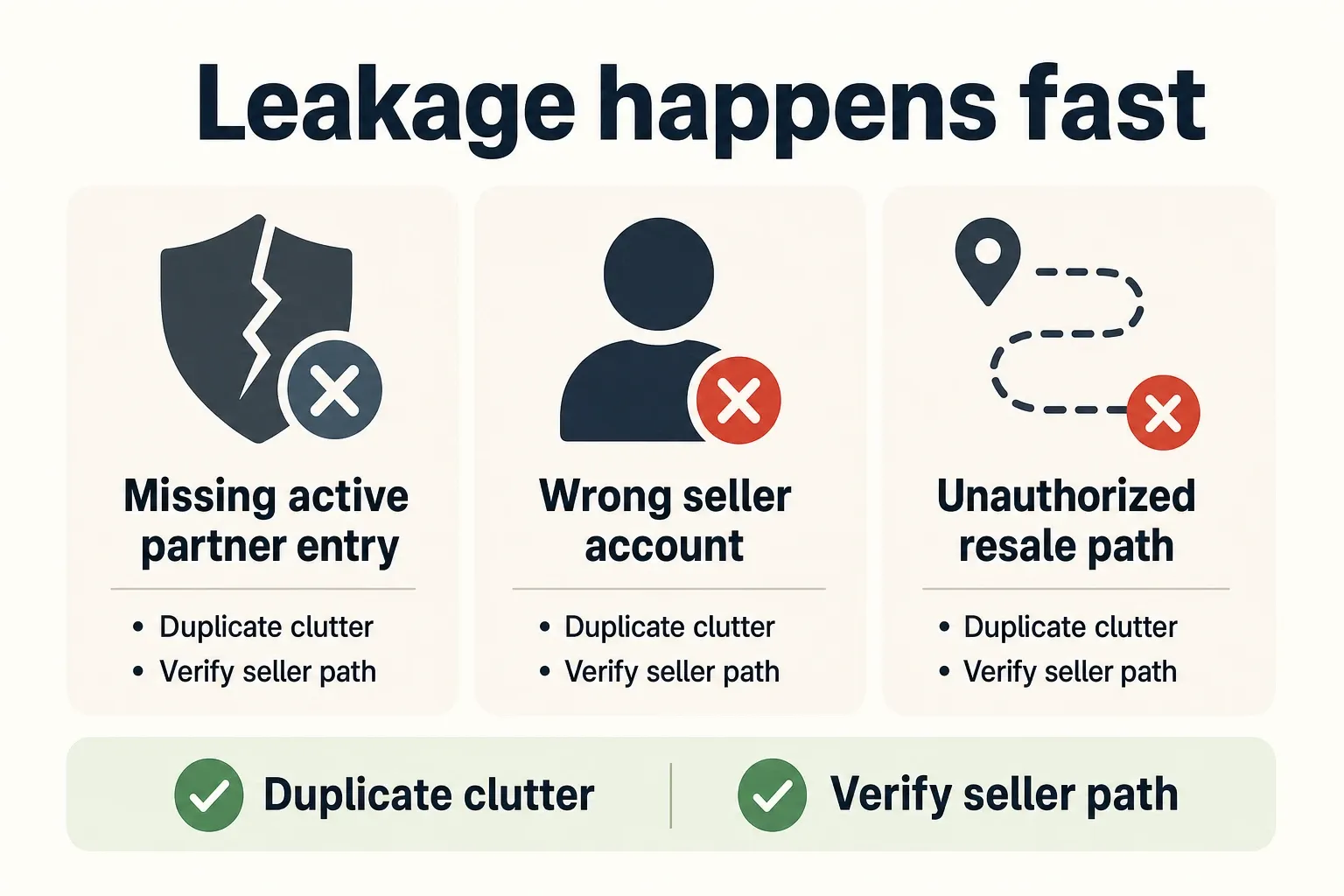
The ads.txt errors that cost real money are the ones that break buyer verification, identify the wrong seller account, or keep an unauthorized resale path alive. Duplicate clutter is irritating. Mismatched authorization is where demand and margin usually leak.
| Misconfiguration | Auction behavior you should expect | Leakage risk | What to check first |
|---|---|---|---|
| Missing active partner entry | A buyer or SSP cannot verify that the seller is authorized for the domain, so bids may be blocked or reduced before the impression reaches full competition. | High: legitimate demand can disappear even though the partner is live in GAM or Prebid.js. | Export active demand from GAM, SSP portals, and Prebid adapters; verify every active seat appears with the current account ID. |
| Wrong publisher or seller ID | The file authorizes an account, but not the account actually selling the impression. | High: spend can be rejected, routed through a less direct path, or attributed to the wrong seller relationship. | Compare account IDs from OpenX, Magnite, PubMatic, Index Exchange, and other portals against the ads.txt line, not against an old onboarding doc. |
| Stale reseller entry | A former reseller remains authorized after the contract, seat, or account mapping changed. | High: buyers may still see a permitted path that no one on the publisher side actively manages. | Ask the commercial owner to prove the reseller is still contracted and active; if not, remove it after confirming no live demand depends on it. |
| Bad DIRECT versus RESELLER relationship | The file declares the wrong relationship type for the seller path. | Medium to high: buyers may discount the path or fail to reconcile it with sellers.json and schain. | Check whether the publisher owns the seller account directly or reaches demand through an intermediary. |
| Duplicate lines | The same authorization appears more than once, often from copy-and-paste updates. | Low by itself: usually clutter unless the duplicates contain conflicting seller IDs or relationship types. | Deduplicate during routine cleanup, but do not make this the priority over missing or wrong active partners. |
| Bad casing, spacing, or formatting | Some parsers may tolerate minor issues; malformed records can still fail validation depending on the line. | Medium: one broken line can make a real seller look absent. | Validate syntax after every edit; do not rely on visual inspection in a CMS text box. |
| Redirect problem | The crawler reaches the wrong destination, loops, times out, or lands on a file meant for another domain. | High on multi-property portfolios: one shared redirect mistake can affect several sites at once. | Test the root-domain ads.txt URL after deployment and confirm the final file contains domain-appropriate records. |
| Unauthorized reseller line | The file permits a seller path that lacks a current business reason. | High: inventory can be represented through a path the publisher does not control. | Use contract records, SSP notices, and sellers.json to justify the line before keeping it. Red Volcano frames poor ads.txt management as a direct revenue-loss risk through blocked bids and missed opportunities Red Volcano. |
The hardest losses usually don’t come from obvious typos. They come from account changes nobody cleaned up: a PubMatic seat moved from one corporate entity to another, a Magnite reseller relationship changed during contract renewal, or an acquired site still carrying legacy entries from the previous publisher’s stack.
That’s why “the file exists” is a weak control. A file can exist, validate, and still authorize the wrong commercial path. For ad ops teams managing a portfolio, the useful question is whether every line maps to a live, intentional, monetized relationship.
Audit ads.txt against your active demand partners
A useful ads.txt audit starts with live demand systems, not the text file. If you start with the file, you may end up polishing formatting while missing the partners that are actually buying or reselling your inventory right now.
- Build the partner inventory before editing. Pull active ad exchange and SSP relationships from Google Ad Manager, SSP portals, Prebid.js bidder configuration, header bidding wrapper settings, and recent account notices. Include direct seats, reseller permissions, child publisher accounts, and any demand partner that requires a domain-level ads.txt authorization.
- Map every live seller relationship to one ads.txt line. For each partner, capture the domain, seller system, publisher or seller ID, and relationship type. If OpenX, Magnite, PubMatic, or Index Exchange gives you an account-specific value, use the current value from the portal or account team, not a spreadsheet copied from last year.
- Separate direct sellers from reseller permissions. DIRECT should mean the publisher controls the seller account. RESELLER should mean another authorized entity sells through its own account or path. If the line does not match the commercial relationship, the buyer’s verification layer can flag the path even when the partner technically appears in the file.
- Find orphaned entries. Mark every line that does not map to an active partner, contract, reseller approval, or migration note. Do not delete blindly if you have a complex reseller setup, but require an owner to justify the line. Orphaned reseller entries are where quiet leakage can hide.
- Check for cross-property reuse. Multi-site publishers often copy a working file from one domain to another. That shortcut can authorize seller IDs tied to a different property, corporate entity, or SSP seat. The risk is sharper after acquisitions, rebrands, domain migrations, and GAM network changes.
- Validate deployment behavior. Confirm the file resolves at the expected root location, the 301 redirect lands on the intended destination if you use one, and the final content is not a cached version from a previous release. A technically correct line does not help if crawlers cannot retrieve the current file.
- Assign ownership and cadence. Each line needs an owner: ad ops, partnerships, programmatic yield, or finance/vendor management. Review after onboarding, account migrations, reseller changes, domain launches, and contract terminations. Sevio’s publisher guide treats ads.txt as an active revenue-protection control, which is the right operating posture for larger sites Sevio.
Don’t run this audit from only your monetization dashboard. GAM can show who served, Prebid.js can show which bidders were called, and SSP portals can show which account is active. None of those, by itself, proves the public authorization file matches the seller path buyers are checking.
sellers.json and schain: the checks that expose hidden leakage
sellers.json and the SupplyChain Object expose the real intermediaries behind a bid request. That’s why they can catch seller-path problems a surface-level ads.txt review will miss.
What sellers.json adds
ads.txt says which advertising systems are authorized for a publisher domain. sellers.json helps identify the seller records inside those systems: the seller ID, seller type, and, when disclosed, the business identity tied to the account.
That matters when a line looks valid but the account relationship has changed. If your ads.txt file authorizes a seller ID for an exchange, but sellers.json shows a reseller identity you don’t recognize, the problem isn’t formatting. It’s the commercial path.
The practical check is simple: take the seller ID from ads.txt, find the matching record in the exchange’s sellers.json file, and confirm that the name and seller type match the relationship you intended. If a DIRECT line maps to an unexpected intermediary, stop and verify it before the next release.
What schain adds
The SupplyChain Object, or schain, shows the sequence of nodes involved in selling an impression. It can expose reseller hops you won’t see by reading only the domain’s ads.txt file.
Look for unexpected intermediaries, missing nodes, seller IDs that don’t match approved records, and paths that conflict with the stated reseller relationship. A reseller may be authorized, but if the live schain shows an extra hop you didn’t approve, buyers may price that path differently or avoid it.
This is where leakage starts showing up in auction behavior. If one SSP has lower bid participation on a domain where the ads.txt line looks valid, compare the live schain path with your approved partner map. You may find a stale account mapping, a reseller chain that changed, or a partner selling through an entity that isn’t reflected cleanly in sellers.json.
The operating rule is simple: ads.txt authorizes who may sell, while sellers.json and schain help verify who is actually in the money path. You need all three views to separate harmless file noise from a trust break that changes bid behavior.
Monitor unauthorized reseller entries before they become revenue loss
Unauthorized reseller entries get expensive when they survive normal business changes. They can keep a seller path open after the team that approved it has moved on, migrated accounts, or ended the relationship.
- Set the review trigger around change events. Check ads.txt after SSP onboarding, reseller approvals, domain migrations, acquisitions, GAM account updates, and contract terminations. Calendar-based reviews help, but event-based reviews catch the errors that actually change seller paths.
- Watch for reseller lines with no business owner. A valid-looking RESELLER record should still tie back to a current agreement, active seat, or written approval from the partner owner. If no one can explain why it exists, mark it for escalation instead of letting it ride indefinitely.
- Treat cross-property copying as a risk, not a convenience. A file from one domain may contain seller IDs that make sense for that property’s SSP setup and fail for another. Portfolio teams should keep a domain-level authorization map, even if the deployment pipeline uses shared templates.
- Define the escalation path. Ad ops can edit the file, but programmatic yield or partnerships should validate commercial intent. If a seller appears that no account owner can justify, pause the change, ask the SSP for the current relationship record, and document the decision.
- Separate clutter from leakage. Duplicate lines and comments are cleanup work. Missing active sellers, wrong IDs, stale reseller authorizations, broken redirects, and seller-path mismatches are revenue controls. Prioritize the records that affect buyer verification and money flow.
A good control process also keeps you from overcorrecting. Deleting every unfamiliar reseller line can cut off valid demand if that reseller is part of a legitimate PMP, exchange package, or managed-service setup. The standard should be proof, not instinct: contract, account notice, SSP confirmation, or a verified match across ads.txt, sellers.json, and schain.
Red Volcano’s broader ads.txt guide explains the original fraud problem: unauthorized sellers could misrepresent inventory before buyers had a domain-level authorization signal Red Volcano. For a mature publisher, the remaining risk is more operational than theoretical. The fraud control only works if the authorization file reflects the stack you actually run.
What to do next
Don’t start by rewriting the file. Start by proving which seller paths deserve to exist, then make the file match the evidence.
- Export active demand relationships from GAM, SSP portals, and Prebid.js configuration.
- Map each partner to one ads.txt record with the current seller ID and relationship type.
- Validate sellers.json and schain for the paths that matter most to revenue.
- Remove or escalate reseller entries with no current owner, contract, or account proof.
- Test the deployed file, including any 301 redirect, after every change.
- Repeat the audit after onboarding, migrations, acquisitions, and account restructures.
Frequently asked questions
Can ads.txt cause revenue loss even if the file exists?
Yes. A file can still leak revenue if it omits an active seller, lists the wrong publisher ID, or leaves stale reseller lines in place. In practice, that can make valid inventory look unverifiable and suppress bids before your auction logic ever matters.
What is the most common ads.txt mistake on multi-property publishers?
Copying one site’s file to another without reconciling seller IDs, SSP coverage, and reseller permissions is the usual failure mode. On a portfolio, that creates mismatches between the domain and the actual seller path, which is exactly where buyers start rejecting or downgrading demand.
Do sellers.json and schain replace ads.txt?
No. They work alongside ads.txt, not instead of it. ads.txt is the domain-level authorization signal, while sellers.json and schain help buyers verify the selling path and intermediaries behind the impression.
Should every SSP or exchange appear in ads.txt?
No. Only add partners that are actually authorized to sell your inventory, plus any reseller entries that are contractually required. Extra lines do not help if they point to stale, wrong, or inactive relationships, because that creates confusion instead of trust.
How often should you audit ads.txt?
At minimum, audit it after partner changes, domain migrations, and ownership or account restructuring. For larger portfolios, a monthly or quarterly cadence is safer because stale lines tend to survive long after the commercial relationship has changed.
How we researched this
Sources consulted for this article:
- Why Your Ads.txt File Could Be Costing You Thousands in Lost...
- The Complete Ads.txt Guide for Publishers - Sevio Blog
- How Ads.txt Impacts Your Website’s Revenue
- What is Ads.txt? Detailed Guide for Publishers in 2026 - LinkedIn
- The Definitive Guide to ads.txt | Red Volcano
- Understanding Ads.txt: Complete Publisher Guide 2026