

10 Viewability Optimization Strategies Every Publisher Should Test
Your leaderboard is 91% viewable, the first in-content MPU is underdelivering, and session RPM still dropped after the last layout change. The right viewability optimization strategies check visibility against net revenue: CPM, fill, refresh eligibility, scroll depth, and session value, not one tidy viewability rate.
Key takeaways
- A higher viewability rate is only a win if session revenue holds up or improves.
- Above-the-fold changes can boost CPM, but they can also reduce scroll depth and total impressions.
- Sticky and anchor units are worth testing only when they add incremental visibility without crowding out better slots.
- Use GAM viewability, AdX CPM, fill, unfilled impressions, and session revenue together so one clean metric does not fool you.
- Fix slow rendering, bad lazy-load timing, and weak placement before you redesign the page.
A publisher testing framework for viewability optimization strategies
A useful viewability test changes one monetization variable at a time, then grades the result against revenue and delivery metrics. Viewability alone won’t tell you enough. Treat the table below as your test backlog: prioritize changes with strong viewability lift, low session-revenue risk, and a clean GAM reporting path.
| Rank | Strategy to test | Expected viewability lift | Risk to session revenue | Implementation complexity | Where it usually makes sense | Evidence anchor |
|---|---|---|---|---|---|---|
| 1 | Lazy load below-the-fold article and video slots | High for lower-page units | Medium if thresholds are too aggressive and impressions are never requested | Medium | Long-form articles, galleries, explainer pages, and templates with predictable scroll behavior | Google Ad Manager recommends exploring lazy loading for article pages because serving later can improve site speed and reduce wasted loads: Google Ad Manager Help |
| 2 | Tune refresh eligibility around viewable time, active tab, and user activity | High for refresh quality, not raw first-load viewability | High if refresh fires too early or suppresses too much sellable inventory | High | Sites with meaningful AdX and header bidding volume, especially pages with long dwell time | Google’s viewability guidance ties better outcomes to load timing and user engagement signals: Google Ad Manager Help |
| 3 | Test a single sticky rail or sticky anchor unit per viewport | High | Medium to high if it crowds content, blocks navigation, or cannibalizes other units | Medium | Desktop article pages with right rails; mobile pages where an anchor does not cover core controls | Playwire warns publishers not to chase perfect viewability if the change reduces revenue per session: Playwire |
| 4 | Move the first in-content MPU into an early natural content break | Medium to high | Medium if it interrupts the lead or pushes engagement down | Low to medium | Article templates where users reach the first few paragraphs quickly | Rajiv Gopinath frames viewability work as a mix of technical, strategic, and creative execution rather than a placement-only problem: Rajiv Gopinath |
| 5 | Reduce overcrowding in the first viewport | Medium | Low to medium; fewer early slots can lower gross impressions while lifting quality | Low | Home pages, section fronts, and article tops with multiple competing ad calls above the fold | Viewability best practices from Google emphasize site and content improvements, not just ad tag changes: Google Ad Manager Help |
| 6 | Fix slow ad rendering and Core Web Vitals blockers before moving placements | Medium | Low; usually revenue-positive if delivery stays stable | Medium to high | Templates with heavy scripts, late bidder responses, large media, or slow client-side rendering | diDNA connects viewability to ad pricing and publisher revenue, which makes technical delivery part of yield work: diDNA |
| 7 | Apply infinite scroll slot logic and clean slot lifecycle management | Medium | Medium if old slots keep competing or new slots request too late | High | Feed pages, endless article recirculation, and live coverage streams | Google specifically calls out tag placement for infinite scroll as a viewability best practice: Google Ad Manager Help |
| 8 | Rotate secondary ad positions by template, not globally | Low to medium | Medium if rotation hides historically strong units on high-value templates | Medium | Section pages, galleries, and layouts where scroll behavior varies by content type | Arena.im recommends rotating ad positions to keep units visible and reduce fatigue: Arena.im |
| 9 | Segment placement tests by device and template in GAM | Indirect but critical | Low; the risk is bad analysis, not the setting itself | Low | Any publisher with separate mobile, desktop, article, video, and gallery monetization patterns | Alexander Jarvis recommends comparing viewability with downstream performance instead of treating viewability as the only signal: Alexander Jarvis |
| 10 | Hold viewability in the 80-90% range unless net revenue proves otherwise | Medium as a governance rule | Low; it prevents over-optimization | Low | Mature stacks where the next point of viewability requires removing inventory or damaging scroll depth | Playwire reports that publishers in the 80-90% bracket generated more revenue per session than those pushing above 90% in its network data: Playwire |
Why viewability moves CPMs, but not always total revenue
Buyers tend to pay more for inventory that is more likely to be seen. The publisher only wins, though, if that higher CPM offsets the impressions you lose, the scroll depth you give up, and the refresh economics you weaken. A 90% viewability screenshot can still be a bad yield call.
The auction logic is simple. If an AdX impression has stronger historical viewability, more buyers can justify a bid, pacing gets easier, and the unit looks safer for brand and performance budgets. Viewable inventory sells more easily than buried inventory that renders after the user has already moved on.
The trap is treating viewability as the whole scorecard. Playwire’s publisher guidance is direct: chasing 90%+ can produce less revenue per session than the 80-90% range because those last few points often require real tradeoffs, like cutting lower-viewability units, pushing ads into intrusive positions, or making the content experience worse.
Where the curve starts to flatten
For a mid-to-large publisher, the useful question usually isn’t whether you can make a unit more viewable. Of course you can. The question is what you give up to get there. Moving a weak below-the-fold unit into acceptable viewability can unlock demand. Moving a strong unit from 88% to 93% may only make the dashboard look cleaner.
Use 80-90% as the range where you start pressing harder on the tradeoff. Below that, the fixes are often obvious: slow rendering, bad placement, poor lazy-load thresholds, or units sitting below content users abandon. Above that range, the changes get more expensive. You’re usually trading inventory count, user attention, and session depth for a prettier metric.
The revenue metric that keeps the test honest
Viewable CPM matters, but session RPM keeps the test honest. If CPM rises after a layout change while session RPM falls, you improved auction quality on a smaller or weaker monetization surface. That happens when an above-the-fold move blocks content, cuts pageviews per session, or makes a mobile user bounce before later ad calls ever happen.
For GAM reporting, pair Active View viewability with AdX CPM, total impressions, unfilled impressions, and session revenue from your analytics or revenue data layer. The winning placement is the one that improves yield per visit, not the one with the cleanest-looking viewability chart.
Ad placement: where above-the-fold helps and where it hurts
Above-the-fold placement works when the ad renders quickly and doesn’t get in the way of the user’s first content interaction. It fails when the unit pushes the headline, video, or opening paragraph so far down that engagement drops before the rest of the page gets a chance to monetize.
Leaderboard and top-stack decisions
A desktop leaderboard near the top of an article can be efficient if it loads in the initial viewport and doesn’t delay the content block below it. The problem starts when the entire first screen turns into ad chrome: masthead, leaderboard, sticky nav, newsletter prompt, and only then the headline.
That layout can lift first-slot viewability while hurting the rest of the session. If fewer users reach the first in-content unit, the rail unit, or the recommended-content module that drives the next pageview, your top slot may have eaten the value of the session.
MPUs and in-content slots
The first MPU usually works best after the user has committed to the content, not before the content has proven it deserves attention. On article pages, that often means after the intro or after the first meaningful section, depending on template length and paragraph density.
On mobile, the placement decision is less forgiving because the viewport is small. A 300x250 unit directly under the headline may be viewable, but it can also create a content delay that kills scroll. The real test isn’t top versus lower. It’s early enough to be seen, late enough to protect the first read.
Rotating positions without creating reporting noise
Arena.im recommends rotating ad positions to keep ads visible and reduce fatigue. That can work on templates with repetitive user behavior, like galleries or live updates pages. But if you rotate across templates without clean labels, your reporting can get messy fast.
Don’t rotate a high-value article unit, a section-front MPU, and a gallery unit under one ad unit name, then treat the blended result as a placement insight. Rotation tests need placement keys, template labels, and enough volume to show whether the new position improved the page or just shifted traffic toward a stronger template.
Sticky, anchor, and persistent units: when they are worth testing
Sticky units are worth testing when one persistent ad can increase viewable time without covering content controls or reducing scroll depth. They get risky when the format turns every page into a cramped viewport and makes the other units less valuable.
Desktop sticky rail units
A sticky right-rail unit can be one of the cleaner viewability optimization strategies on desktop article pages because it follows engaged reading behavior. The user scrolls, the content stays primary, and the ad remains in view long enough to compete for higher-quality demand.
The weak version is a rail that sticks too early, overlaps content at narrower breakpoints, or refreshes without a solid viewable-time rule. If only the rail improves while in-content viewability and session RPM decline, the page is telling you the sticky format is taking more than it gives.
Mobile sticky anchor ads
Sticky anchor ads need a tougher standard because mobile screen space is limited. A bottom anchor can add steady viewability, but it can also cover navigation, comment boxes, video controls, or commerce links if the template wasn’t designed around it.
Treat mobile anchors as controlled tests by template and device class. News articles, recipe pages, live blogs, and sports box-score pages behave differently. If the anchor lifts CPM but lowers scroll depth or reduces the number of ad opportunities reached per session, the format isn’t revenue-positive.
The one-sticky rule
The practical default is one persistent unit per viewport. A sticky rail plus a sticky anchor plus a sticky video player may look good in separate ad unit reports, but the combined page can feel overloaded and hurt repeat visits.
Judge the whole session. A persistent unit should increase viewable impressions while keeping content consumption intact. If it only concentrates demand into one aggressive position, you’ve got a cosmetic viewability gain, not a better monetization setup.
Lazy loading, refresh, and viewability thresholds
Lazy loading and refresh rules need to be tuned together. Load timing determines whether a slot becomes viewable; refresh timing determines whether the next impression is eligible and valuable. A fast page with starved ad calls can lose money just as easily as a heavy page with wasted calls.
- Start with template-level scroll data before changing ad calls. For article pages, Google Ad Manager Help recommends exploring lazy loading so video and ads load later as the user moves down the page; apply that logic only where users actually reach the lower slots.
- Set lazy-load margins by slot depth, not by one global rule. The first in-content unit may need to request earlier than the fourth unit because bidder response time, render time, and user scroll speed are different at each depth.
- Separate request timing from render timing in your QA. A slot can be requested early enough for demand but render late because of script order, layout shifts, or a delayed container. That distinction matters when Core Web Vitals issues are present.
- Define refresh eligibility around viewable exposure and active engagement. Refresh should not fire just because a timer expired; it should respect whether the tab is active, whether the slot was viewable, and whether the user is still on the content.
- Check unfilled rate after every threshold change. Aggressive lazy loading can make viewability rise by suppressing hard-to-view impressions, but if total filled impressions fall faster than CPM rises, the test failed.
- Run the refresh test separately from the lazy-load test. If you change both at once, you will not know whether revenue moved because the slot loaded later, refreshed less often, became more viewable, or lost auction pressure.
- Watch lower-page inventory on infinite scroll. New slots need clean creation, targeting, and destruction rules so the page does not keep old slots alive or request new ones after the user has already passed the position.
- Use session RPM as the final pass/fail metric. A lazy-load setting that improves Active View but reduces total revenue per session is a reporting win and a business loss.
How to measure viewability in Google Ad Manager without fooling yourself
Google Ad Manager reporting is useful for viewability tests only when you segment by the variables that actually changed: ad unit, placement, device, page template, and demand path. A blended network view hides why a test won or lost.
Build the report around the changed variable
If you moved a mobile in-content MPU, don’t judge the result with a network-wide Active View report. Pull the affected ad unit, mobile web inventory, the specific template, and the test dates. Then compare against a control template or a pre-test period with similar traffic quality.
In GAM, include Active View viewable impressions, measurable impressions, viewability rate, impressions, revenue, average eCPM, and unfilled impressions. Add CTR if direct-sold or performance buyers care about it, but don’t let CTR override the yield read unless the campaign mix depends on click outcomes.
Do not let mix shift impersonate lift
A viewability test can look successful because desktop share rose during the test, homepage traffic spiked, or a high-viewability direct campaign delivered more impressions than usual. That isn’t optimization. That’s traffic mix.
Device mix is the usual culprit. Desktop right-rail inventory can make a placement test look healthier if you don’t isolate mobile. Mobile anchor tests can do the reverse by changing the blended property metric even though desktop was untouched.
Tie GAM to session value
GAM isn’t enough on its own because ad server reports are impression-centered. You need session revenue or session RPM from your analytics warehouse, revenue data layer, or BI model to see whether a layout change actually helped the visit.
The cleanest read pairs GAM dimensions with page template and session identifiers outside GAM. If you don’t have that pipeline, run a controlled template test and compare revenue per thousand pageviews, scroll depth, and downstream pageviews next to the GAM metrics. You’re trying to see whether viewability improved the monetization path, not just the ad call.
The first viewability killers to fix before you redesign the page
The fastest viewability gains usually come from fixing delivery and layout defects before you start moving every ad slot. If an ad renders late, sits inside a collapsed container, or competes with too much above-the-fold clutter, a redesign is an expensive way to dodge basic QA.
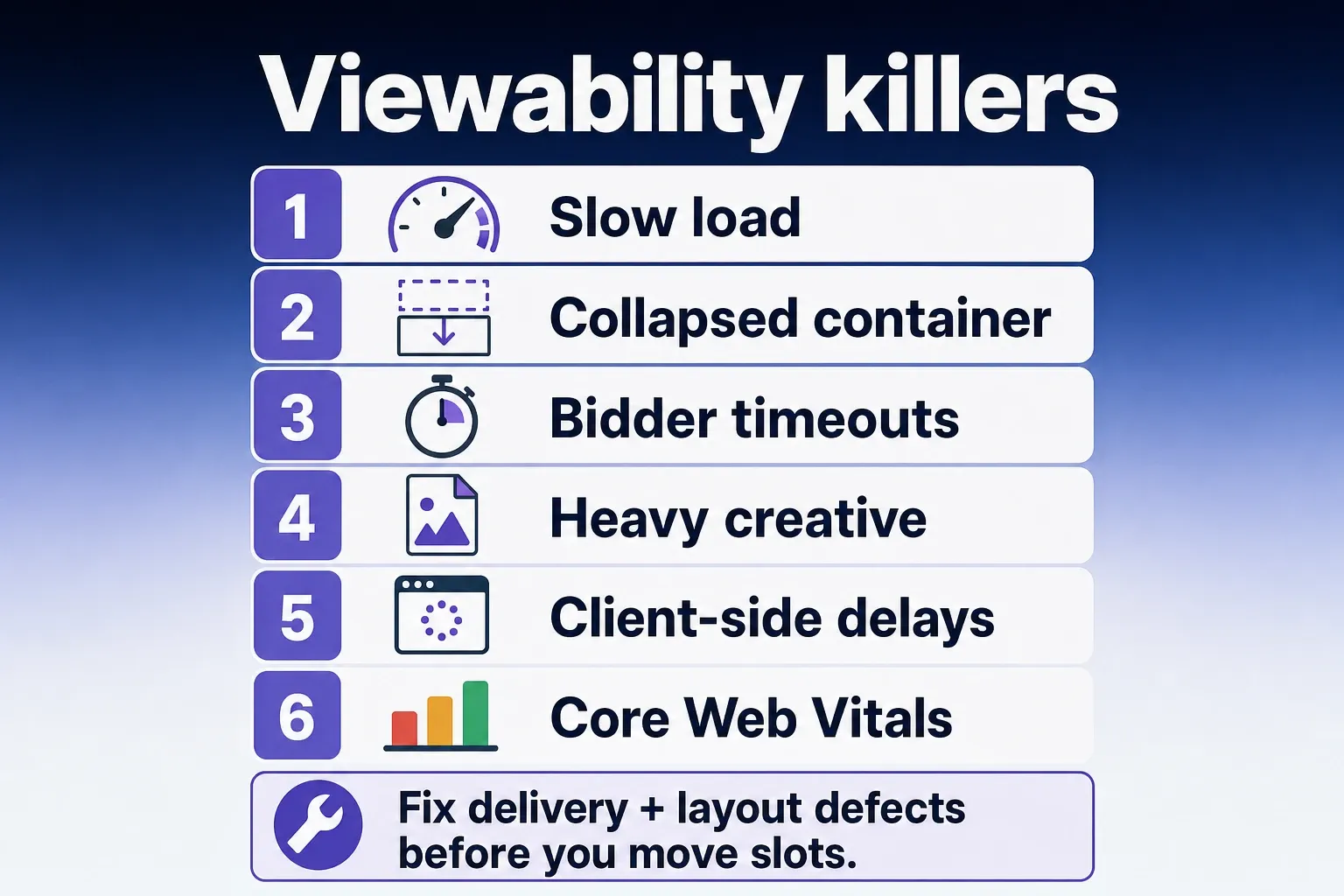
- Slow load times that make ads arrive after the user scrolls past them. Check bidder timeouts, tag order, heavy creative, client-side rendering delays, and whether Core Web Vitals work has changed when containers become visible.
- Overdense first screens where ads, navigation, sign-up prompts, and content modules fight for the same viewport. Reducing one early unit can raise the value of the units users actually reach.
- Lazy loading thresholds that request too late for real scroll behavior. If a user reaches the slot before the auction and render complete, the ad may technically load but never earn meaningful viewable time.
- Refresh logic that starts from a timer instead of viewable exposure. A refresh impression that appears while the tab is inactive or the unit is out of view can pollute quality and weaken buyer trust.
- Infinite scroll implementations that reuse, duplicate, or fail to destroy slots cleanly. Google Ad Manager guidance specifically calls out tag handling on infinite scroll because slot lifecycle affects viewability and delivery.
- Sticky anchor ads that cover interactive page elements. The unit may be viewable, but if it blocks comments, video controls, or navigation, session behavior can deteriorate.
- Responsive breakpoints that turn a clean desktop layout into a crowded tablet or small-laptop layout. Test the actual viewport widths that drive traffic, not only full desktop and common mobile presets.
- Ad containers with unstable height. Layout shifts can cause the user to pass a slot before it settles, and they can also create a worse content experience that reduces downstream impressions.
- Misnamed ad units that combine multiple placements. A placement cannot be optimized if the report blends top MPUs, mid-article units, and recirculation inventory under the same label.
- Header bidding timeouts that differ by placement without documentation. If a lower-page slot has less time to receive bids because it loads later, viewability and CPM changes may reflect auction mechanics rather than placement quality.
What to do next
The best viewability optimization strategies are boring to validate: isolate the unit, protect the session, and let revenue decide. Don’t spend engineering time chasing 90%+ viewability until your 80-90% inventory has been checked against CPM, fill, refresh quality, and scroll depth.
- Pull a GAM report for your largest article, mobile, desktop, and infinite scroll templates by ad unit and device.
- Pick one test from the table with high lift and manageable session-revenue risk.
- Define the pass/fail metrics before launch: viewability, CPM, impressions, unfilled rate, page latency, scroll depth, and session RPM.
- Run the test on one template or traffic slice large enough to read, without changing refresh and placement at the same time.
- Keep the change only if total yield improves. If the viewability rate rises and session value falls, roll it back.
Frequently asked questions
What is a good ad viewability rate for publishers?
There’s no universal target, because a 90% viewability screenshot can still be a bad yield decision. For many publishers, the better benchmark is whether stronger viewability is improving CPM and session revenue together, not whether the percentage looks clean in isolation. In practice, the article treats 80% to 90% as the range where the tradeoff starts to matter most.
Do sticky ads always improve revenue?
No. Sticky ads often raise viewability, but they can also hurt the user experience or reduce the value of better in-content placements if you lean on them too heavily. The real test is whether they lift revenue per session, not just viewability or CPM on the sticky unit itself.
Should I lazy load every ad on the page?
No. Lazy loading usually helps deeper slots and article pages, but it can backfire if you delay too aggressively. Push it too far and you can lose eligible impressions, weaken refresh timing, and end up with cleaner viewability numbers but worse total revenue.
Where should I look in GAM first?
Start with ad unit, template, device, and placement-level reporting, then compare viewability with CPM, unfilled rate, and session revenue. Sitewide averages hide the bad slots, and the article specifically calls out the need to pair Active View with AdX CPM, total impressions, and unfilled impressions so you see what is actually dragging yield down.
Is above-the-fold always the best place for ads?
No. Above-the-fold placements are often more visible, but they only win if they load fast and do not crowd out the first content interaction. A top slot that slows the page or pushes the article too far down can lift viewability while hurting scroll depth, engagement, and the rest of the session’s monetization.
How we researched this
Sources consulted for this article:
- Optimizing for Viewability and Completion Rates - Rajiv Gopinath
- 6 Strategies to Optimize Ad Viewability - Arena.im
- Ad Viewability - Alexander Jarvis
- The Publisher's Guide to Viewability Optimization: Chasing Perfect...
- Viewability best practices - Google Ad Manager Help
- The Ultimate Guide to Ad Viewability - diDNA